
The Makerspace

A Makerspace is a community center where tools are provided to design, engineer, fabricate and learn. All skill levels are welcome and it offers a safe do it yourself environment where failure is just another step in the learning process. Learning may be self-directed or instructor led, and Exploration Commons will provide the staff and guest instructors to assist with all learning styles.
Who may use the Makerspace
The Makerspace is for ages 8 – Adult. Children ages 8 – 11 may work with an equipment certified adult in the use of some machines in the space, but may not operate themselves. Children ages 12 – 15 may operate machinery with the assistance of an equipment certified adult. Persons aged 16 and older may operate any of the available equipment. An Exploration Commons/Library card is required to use makerspace equipment and all users must be certified to use select equipment.
Programs held in the Makerspace will be led by an instructor and may also have age restrictions depending on the equipment used or content of the program. An Exploration Commons/Library card is not required to attend programs.
Will there be a cost to use the Makerspace?
The use of the space is free. However, there will be a cost for some materials if required (filament, wood, acrylic, etc). There will also be programs where we need to charge to recoup expenses.
Hours and Staffing
The entire space will be open and staffed Monday - Thursday, 9 AM - 8 PM, Friday - Saturday, 9 AM - 5 PM.
Upcoming Classes and Programs
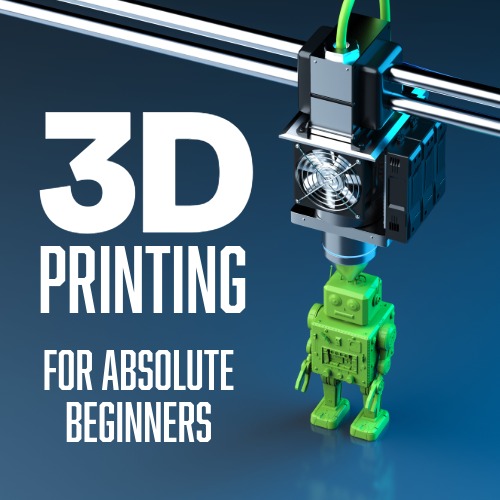
3D Printing for Absolute Beginners
Saturday, October 10, 2026 - 2:00pm - 3:00pmAges: 12 - Adults, Adults
Class registration and more information
What's a 3D print, and how do you make it? In this class, we'll go over everything you need to know to get started with 3D printing. From materials to software to finding files online, this class will teach you the very basics.
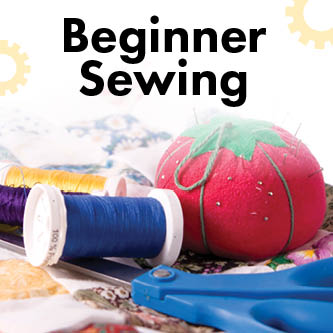
Beginner Sewing Level 1: Sew a Small Messenger Bag (Class 7)
Tuesday, October 13, 2026 - 9:30am - 12:30pmAges: 16 - Adults, Adults
Class registration and more information
Get acquainted with the sewing machine and basic tools of the trade. Learn to sew a gusset into a bag with rounded corners. Practice how to sew and insert a cross-body handle into the bag.
Class Prerequisites: Exploration Commons' Sewing Machine Certification
Required Materials: A sewing machine and all materials will be provided.
About Beginner Sewing Level 1: These classes introduce new or less experienced sewists to beginning sewing information and resources with hands-on practice.
Beginner Sewing Level 1 classes introduce and practice the following skills:
- basic sewing tools
- cutting, measuring, and marking fabric
- pressing with an iron
- basting and sewing
You can take Level 1 classes in any order, but beginners will benefit most by taking the first three classes, Class 1, 2, and 3, in sequence.
Create a Marble Maze with the CNC
Thursday, October 15, 2026 - 4:30pm - 7:30pmAges: 12 - Adults, Adults
Class registration and more information
In this program we will create a personalized mini-marble maze by utilizing our Carvera Desktop CNC! Basic computer experience is required, but no experience with the Carvera CNC is needed.
Note that the class is strictly for designing your project; they will be fully fabricated by Exploration Commons staff after this class is over. You will then be contacted to come pick up your project once it is completed.
This class does not result in CNC Certification for independent use.

Adobe Illustrator Skill Builder: Tools & Shortcuts
Friday, October 16, 2026 - 1:30pm - 3:30pmAges: 14 - Adults, Adults
Class registration and more information
Boost your speed and confidence in Adobe Illustrator with this hands-on class focused on essential tools and time-saving shortcuts. Gain a solid understanding of Illustrator features and keyboard shortcuts to help you create vector designs more efficiently. This class is ideal for those looking to streamline the design process for makerspace projects. Attendees should have a basic understanding of Illustrator and some experience creating independent projects.
Blender Basics
Monday, October 19, 2026 - 11:00am - 1:00pmAges: 14 - Adults, Adults
Class registration and more information
Learn the fundamentals of 3D creation in this two-day introduction to Blender.
Perfect for beginners, this class will guide you through the basics of navigating the interface, working with 3D objects, and creating your own simple models. Participants will explore the essential tools and techniques used in digital modeling, including transforming objects, editing shapes, applying materials, and setting up basic lighting and rendering.
Creating Jewelry with Makerspace Technology
Monday, October 19, 2026 - 2:00pm - 3:30pmAges: 14 - Adults, Adults
Class registration and more information
Learn about the types of jewelry you can make with our makerspace technology. We will review the available equipment, how to select appropriate materials, and how to set up design files for success. Using Adobe Illustrator and the Epilog Fusion Pro Laser, participants will make either a pair of earrings or a necklace to take home. This is an introductory-level program; no previous experience with design software or laser cutting (or certification) is required.
Intro to Laser Cutting
Monday, October 19, 2026 - 5:00pm - 7:30pmAges: 12 - Adults, Adults
Class registration and more informationThis class is for customers looking to become certified for independent use of the Exploration Commons laser cutters. We will cover simple project creation in Adobe Illustrator, the basics of the Epilog Dashboard software, and Epilog laser machine use and safety. At the instructor's discretion, customers who successfully complete this program will be certified to use the Exploration Commons Fusion Pro and Fusion Edge laser cutters. Customers aged 12 to 15 who complete their certification are required to have a certified adult with them to use the laser independently. Due to the amount of information covered in this class, we strongly encourage registrants who do not have Adobe Illustrator experience to do one of the following prior to attending this class:
- Take an Intro to Adobe Illustrator class (in person at Exploration Commons or on LinkedIn Learning — use Library ID: carroll).
- Take a laser project class at Exploration Commons (one that does not require participants to be laser certified).
- Work through the online portion of the Exploration Commons hybrid laser certification module. (No need to take the quiz; we will do that at the end of class.)
Making for Seniors: Introduction to 3D Printing and Design with Tinkercad
Tuesday, October 20, 2026 - 10:00am - 12:00pmAges: Adults
Class registration and more information
Learning new technology should be fun, not intimidating! Join us for a basic hands-on session where we'll create a simple 3D design project to be printed on Exploration Commons' 3D printers. Previous basic computer experience is required. No previous experience with 3D printing or design software is needed.
Custom Chess Pieces
Tuesday, October 20, 2026 - 2:00pm - 4:30pmAges: 12 - Adults, Adults
Class registration and more information
In this program we will go through the process of modeling and fabricating custom chess pieces by utilizing our Carvera Desktop CNC! Basic computer experience is required, but no experience with the Carvera CNC is needed.
Note that the class is strictly for designing your project; they will be fully fabricated by Exploration Commons staff after this class is over. You will then be contacted to come pick up your project once it is completed.
This class does not result in CNC Certification for independent use.